
4.12 (2026-10-19)
New Jira Automation action: Get File Field files
NEW FEATURE ADVANCED You can now retrieve files stored in File Fields directly from Jira Automation!
The new Get File Field files action provides file metadata and temporary download URLs valid for 1 hour, making it easy to send attachments to external systems.
Automate file transfers to Google Drive, SharePoint, document processing services, and more.
Learn more about using Jira Automation with File Field
improvement File information now includes the upload date, making it easier to see when each file was added.
4.11 (2026-10-02)
BUGFIX Fixed an error when uploading files from a transition screen.
File Field only works with the new transition experience (learn more: Troubleshooting)
4.10 (2026-09-29)
improvement Improved the look and feel with rounded corners for a more polished user experience.
BUGFIX Fixed a file alignment issue where files were not properly aligned within File Field.
BUGFIX Fixed an issue where image previews were not displayed until the page was refreshed.
4.9 (2026-09-23)
improvement File Field can now be used in team-managed Jira spaces.
4.8 (2026-09-10)
BUGFIX Increased the memory allocated to file imports to reduce the risk of migration failures.
4.7 (2026-09-09)
improvement Continued work to support Data Center to Cloud migrations using the Jira Cloud Migration Assistant (JCMA).
4.6 (2026-09-04)
improvement Started implementing support for Data Center to Cloud migrations using the Jira Cloud Migration Assistant (JCMA).
4.5 (2026-08-28)
improvement Minor improvements to the Booking Flow templates.
4.4 (2026-08-27)
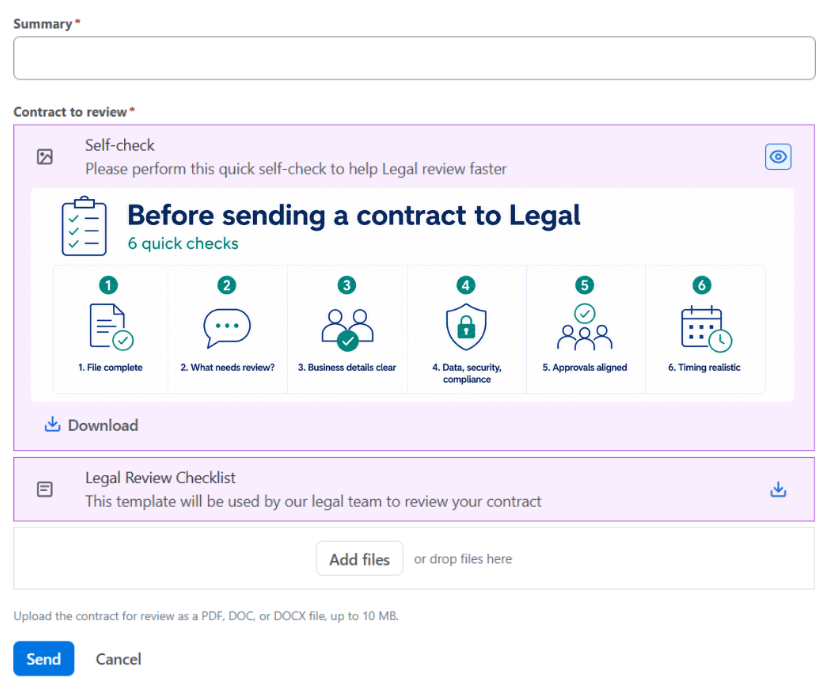
Templates & Documents
NEW FEATURE We've introduced Templates & Documents for File Fields. Admins can now add templates or reference files that users can download while filling in the field, making it easier to provide the right documents exactly where they're needed.
Learn more in Custom Field Options
4.3 (2026-08-20)
improvement Improved module load times for faster rendering and a smoother user experience.
4.2 (2026-08-20)
Image thumbnails
NEW FEATURE ADVANCED We've introduced image thumbnails, allowing users to preview uploaded images directly in File Field. Users can now identify and review image files at a glance without opening or downloading them individually.
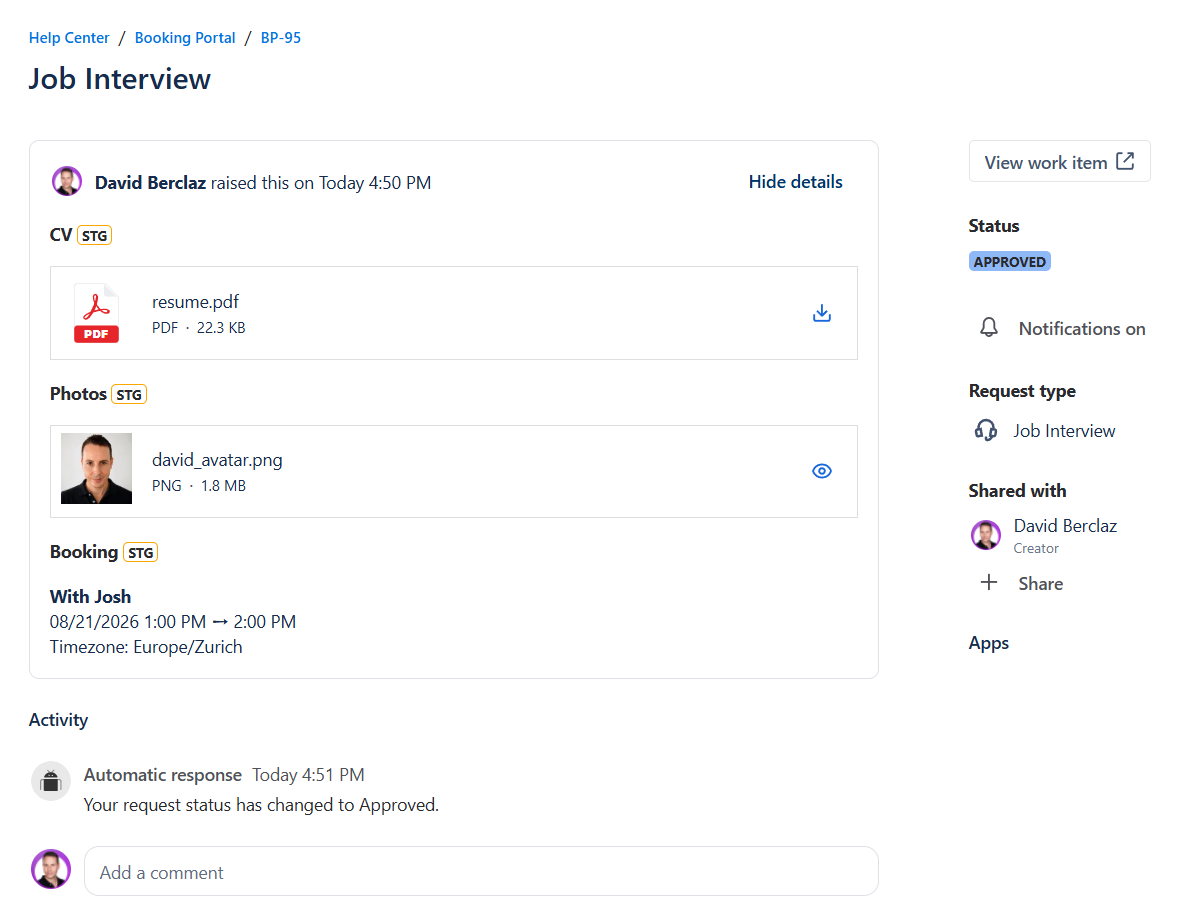
improvement Improved image previews so they now open in a larger dialog instead of a new browser tab, making it easier to review images without leaving the current Jira work item.
4.1 (2026-07-22)
improvement Files that cannot be previewed, such as non-image files, are now downloaded directly instead of opening in a new browser tab.
improvement Improved the file display experience. Long file types are now truncated, with the full file type shown on hover.
4.0 (2026-07-20)
Manual Upgrade Required
Version 4.0 requires an additional permission to read/write to app storage service, and requires manual approval. To complete the upgrade, a Jira Administrator must go to Manage Apps and click Update.
improvement Better file management in the Atlassian storage.
improvement One-click download of PDF files.
3.0 (2026-07-08)
The first version of File Field Cloud brings dedicated file upload custom fields to Jira Cloud and Jira Service Management Cloud.
-
Create custom fields of type Apwide File Field
-
Upload files directly from Jira work items and JSM request forms
-
Configure the maximum number of files per field
-
Restrict uploads by file category, extension, or MIME type
-
Define a maximum file size
-
Store uploaded files securely using Atlassian Forge Object Storage
-
Runs entirely on Atlassian infrastructure with the Runs on Atlassian badge